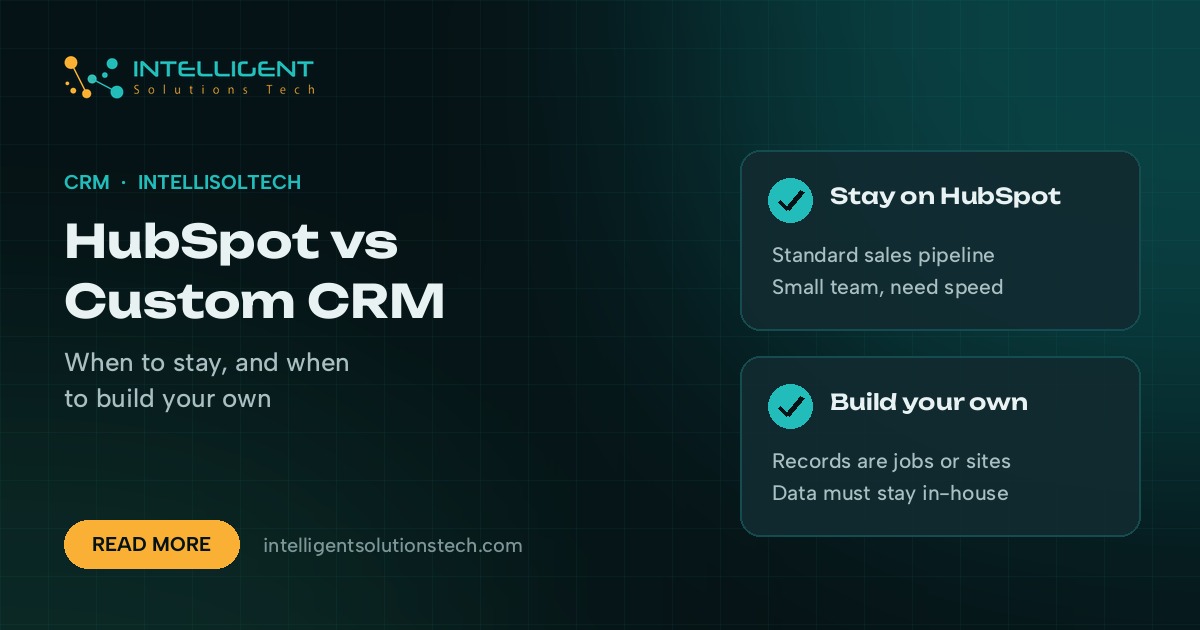
In the HubSpot vs custom CRM decision, most small and mid-sized businesses should start on HubSpot. It’s quick to set up, it handles contacts, deals and email well, and you can be working in it within days. Build your own CRM when your process doesn’t fit HubSpot’s shape, when per-seat costs keep climbing for features you don’t use, or when your data has to live in your own systems.
The wrong move is usually made in a hurry. Some teams build a custom CRM to fix a problem that a better HubSpot setup would have solved. Others stay on HubSpot for years while staff run the real process in spreadsheets on the side.
This post sets out how we’d make the call, using the questions we ask business owners before we quote either option.
What HubSpot does well
HubSpot is a hosted CRM platform with a free tier and paid products for sales, marketing, service and content. The free CRM covers contact and company records, deals, a shared inbox, forms and basic email tracking. Paid tiers add sequences, workflows, reporting and more seats.
Its strengths are real, and they’re the reason it’s the default for so many teams.
- Speed. You can import contacts, set a deal pipeline and connect Gmail or Outlook in an afternoon.
- Marketing in the same place. Forms, landing pages, email campaigns and contact records all share one database.
- An app marketplace. HubSpot’s App Marketplace lists ready-made connectors for tools like Slack, Zoom, Shopify, QuickBooks and Stripe.
- No upkeep. HubSpot handles hosting, security patches, backups and new features.
- Hiring. Plenty of sales and marketing staff already know it, so training time is short.
If your sales process looks like “lead comes in, someone qualifies it, a deal moves through stages, it closes”, HubSpot fits it closely.
Where HubSpot starts to pinch
HubSpot’s limits tend to show up as a business grows or as its process drifts away from a standard sales pipeline.
- Seat costs. HubSpot’s paid Sales Hub and Service Hub tiers are priced per seat, so cost rises with every person who needs full access. Check HubSpot’s current pricing page, because tiers and terms change.
- Contact-based pricing. Marketing Hub pricing depends on how many marketing contacts you store, so a big list costs more even if most of it is quiet.
- Custom data models. If your business tracks things that aren’t contacts, companies or deals, such as properties, vehicles, jobs or shipments, you’ll need custom objects. HubSpot reserves those for its Enterprise tiers.
- Rigid screens. You can add properties and rearrange record views, but you can’t redesign the core screens around how your team works.
- Data location. Your records live on HubSpot’s servers. That’s fine for most firms, but some contracts or internal policies require data to stay in systems you control.
None of these are problems on day one. They become problems when the workarounds start costing more than the subscription.
What a custom CRM is
A custom CRM is a customer database and set of screens built for one business’s process. It’s usually a web app built with Laravel or Next.js, with a database like PostgreSQL or MySQL, hosted on your own cloud account. It has exactly the records, fields, stages and permissions you need, and nothing else.
You own the code and the data. You pay to build it and then pay for hosting and upkeep. You don’t pay per seat, so adding a new user costs nothing extra beyond any change to hosting. If you want a sense of build costs, our guide to what a custom CRM costs to build breaks down what drives the price.
HubSpot vs custom CRM side by side
| Factor | HubSpot | Custom CRM |
|---|---|---|
| Time to start | Days | Weeks to a few months |
| Cost model | Monthly subscription, per seat or per contact on paid tiers | Upfront build, then hosting and upkeep |
| Data model | Contacts, companies, deals, tickets, plus custom objects on Enterprise | Whatever your business tracks |
| Screens | Configurable within HubSpot’s layout | Designed around your team’s daily work |
| Data ownership | Stored by HubSpot, exportable | Stored in your own cloud account |
| Upkeep | Handled by HubSpot | Handled by you or your developer |
| Connections to other tools | App Marketplace plus API | Built to order through APIs |
The table hides one important point. A custom CRM is software you now own, and software needs care. Budget for updates, bug fixes and small changes every month, the same way you’d budget for any core system.
Signs you should build your own
These are the patterns we see in businesses that do well with a custom CRM.
- Your core records aren’t people or deals. A restoration company tracks jobs, sites and insurance claims. A logistics firm tracks loads and drivers.
- Staff keep the real process in spreadsheets because the CRM can’t hold it.
- You pay for many full seats so people can view and update a few fields.
- You need field-level permissions or approval steps that standard tiers don’t offer.
- A client contract or your own policy says customer data must stay in your systems.
- You want the CRM to sit inside a customer portal, quoting tool or ops app you already run.
If three or more of these sound familiar, a custom build deserves a proper look.
Signs you should stay on HubSpot
Equally, plenty of teams should stay put and fix their setup instead.
- Your process is a fairly standard pipeline from lead to closed deal.
- Marketing email, forms and landing pages matter as much as the sales pipeline.
- You have a small team and no one to own a piece of software long term.
- Your frustrations come from messy data, unused properties or a pipeline nobody updates.
- You need to be working next month, not next quarter.
Messy data and weak adoption follow you into any CRM. A clean-up, a simpler pipeline and a few good workflows often fix more than a rebuild would.
The middle path: HubSpot plus custom pieces
You don’t always have to choose. Many businesses keep HubSpot as the system of record for contacts and deals, then build small custom tools around it through the HubSpot API.
Common examples include a quoting tool that writes deals back to HubSpot, a client portal that reads ticket status, or a sync that pushes closed deals into an accounting or ops system. Automation tools like Zapier, Make or n8n can cover simple links, and a developer can handle anything that needs custom logic. Our API development services cover this kind of work, and our AI workflow automation team builds the automations that sit between systems.
This approach keeps HubSpot’s speed and marketing tools while removing the specific pain points. It’s often the cheapest way to buy another year or two before a full custom build.
How to decide in a week
You can make this decision without a long consulting project. Here’s the process we use with clients.
- List the records your team works with every day, and mark which ones aren’t contacts, companies or deals.
- Write out your process from first enquiry to paid invoice, step by step, and note who does each step.
- Mark every step that happens outside the CRM today, in spreadsheets, email or chat.
- Count the people who need full access and the people who only need to view or update a few fields.
- Price the HubSpot tiers you’d need for the next two years from HubSpot’s own pricing page.
- Get a fixed quote for a custom build covering the same process, plus monthly upkeep.
- Compare the two over two to three years, and weigh speed to start against fit.
If HubSpot covers most of the process and the gaps are small, stay and fill the gaps. If the gaps are where your team spends most of its day, build.
Getting help with the decision
We build custom CRMs and connect existing ones from our office in Lahore for businesses in the US, Canada, the UK, Europe and Australia. Every build is staged for your review before it goes live, and you own the code and the data. See our custom CRM development service, or send your current setup through the free audit form and we’ll come back with a written recommendation and proposal.