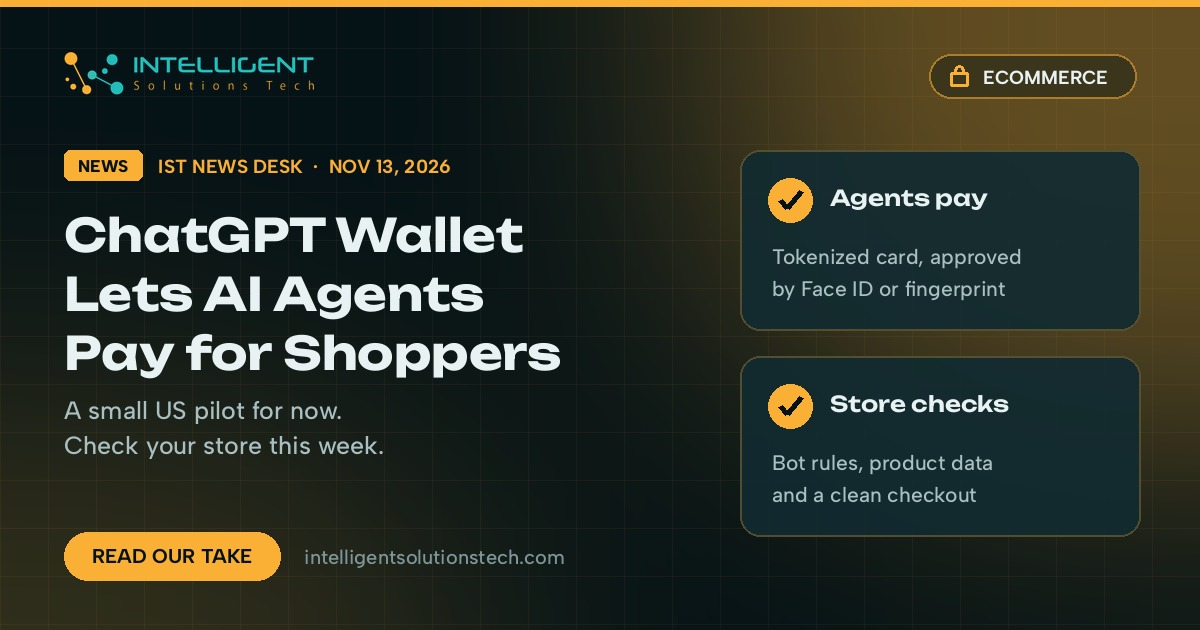
OpenAI launched ChatGPT Wallet on November 13, 2026. It lets agents inside ChatGPT, including the new dots agents, ChatGPT Work and Codex, finish a purchase on a shopper’s behalf once that person approves it. For now it’s a small US pilot for ChatGPT Pro subscribers, so most stores won’t see a single order from it this month.
We’d still pay attention. OpenAI built Wallet with the three big card networks, which tells us agent checkout is more than a side project. If your store blocks AI agents by accident, or your product data is thin, those orders will go to someone else when the rollout widens.
Our view is simple: no rebuild, no panic, and no paid “agent-ready” package. Spend an hour this week checking that agents can reach your store, read your products and get through checkout.
What changed
OpenAI describes ChatGPT Wallet as a secure way for its agents to complete purchases with user approval and existing card protections. Here’s what OpenAI and the outlets covering the launch (TechCrunch, The Next Web and 9to5Mac) report:
- Who gets it: a limited group of ChatGPT Pro subscribers in the US who are 18 or older and hold an eligible US-issued card. OpenAI says it’s starting small to learn from real use before a wider rollout.
- Card partners: OpenAI says it built Wallet with American Express, Mastercard and Visa.
- How a purchase works: the shopper adds a card once. Before each purchase they review the items, the total and the card, then approve with Face ID or a fingerprint. Each approval creates a record of what the agent was allowed to buy.
- Card details stay hidden: after approval, the payment network issues a token that stands in for the real card. OpenAI says neither the agent nor the merchant sees the actual card number.
- Protections carry over: shoppers keep their card rewards and the right to dispute eligible charges.
- Merchants stay in charge: The Next Web reports that businesses keep control of pricing, delivery, returns and customer service.
OpenAI also published guidance for businesses that want to accept agent purchases. According to The Next Web, it covers letting ChatGPT agents through your firewall, uploading product feeds and setting up a business profile in ChatGPT. OpenAI named fraud-prevention firms Forter, Riskified, Sardine and Signifyd, and payment providers Adyen, Checkout.com and Stripe, as companies it’s working with.
TechCrunch reports that OpenAI plans to add spending limits and rules by category or time period later, so shoppers can pre-approve some purchases and let the agent act on its own.
What it means for your business
Today, very little changes in your sales numbers. A Pro-only US pilot is a small audience, and OpenAI has tried checkout inside ChatGPT before with Instant Checkout in 2025.
The bigger point is who does the shopping. When an agent compares products, it reads your site the way a crawler does: product titles, prices, stock, shipping times and return rules. It doesn’t see your hero banner or your brand video. Stores with clean, complete product data are easier for an agent to recommend and buy from.
There’s also a technical trap. Many stores run bot protection through Cloudflare, a security plugin like Wordfence, or their host’s firewall. The Next Web reports that OpenAI itself warned some sites may block agent purchases without meaning to, and that fraud tools can flag real agent orders as suspicious. If that happens, the shopper’s agent simply moves on to a store it can reach.
For Shopify, WooCommerce and BigCommerce stores, most of this sits in settings you already control. Service businesses that take bookings or deposits online should watch it too, since the same agents will try to book and pay.
What we’d do this week
- Check your firewall and bot rules. Look at Cloudflare, your security plugin and your host’s firewall for rules that challenge or block AI agents. Decide on purpose which agents you allow, and write it down.
- Clean up your product data. Every product should have a plain title, accurate price, live stock status, shipping times and a clear returns policy on the page. This same data feeds Google Shopping, so the work pays off twice.
- Set up or finish your ChatGPT business profile. We covered how OpenAI opened business profiles in ChatGPT on November 11. Claim it and keep it consistent with your website.
- Ask your payment and fraud providers one question. How do they score orders placed by AI agents using network tokens? If you use Stripe, Adyen or Checkout.com, check their docs for agent payments before you change any rules.
- Test checkout without a mouse. Pop-ups, forced account creation and captchas on every step trip up agents and people alike. Remove the ones that don’t stop real fraud.
- Don’t buy an “agentic commerce” package yet. The pilot is small and the rules are still moving. Fix the basics first and revisit when OpenAI widens access.
If you’d like a second pair of eyes on your store’s setup, our ecommerce development team can check your firewall rules, product data and checkout flow, and our ecommerce SEO work covers the product feeds that agents and Google Shopping both read. You can also start with a free audit.
Source: OpenAI, Introducing ChatGPT Wallet.