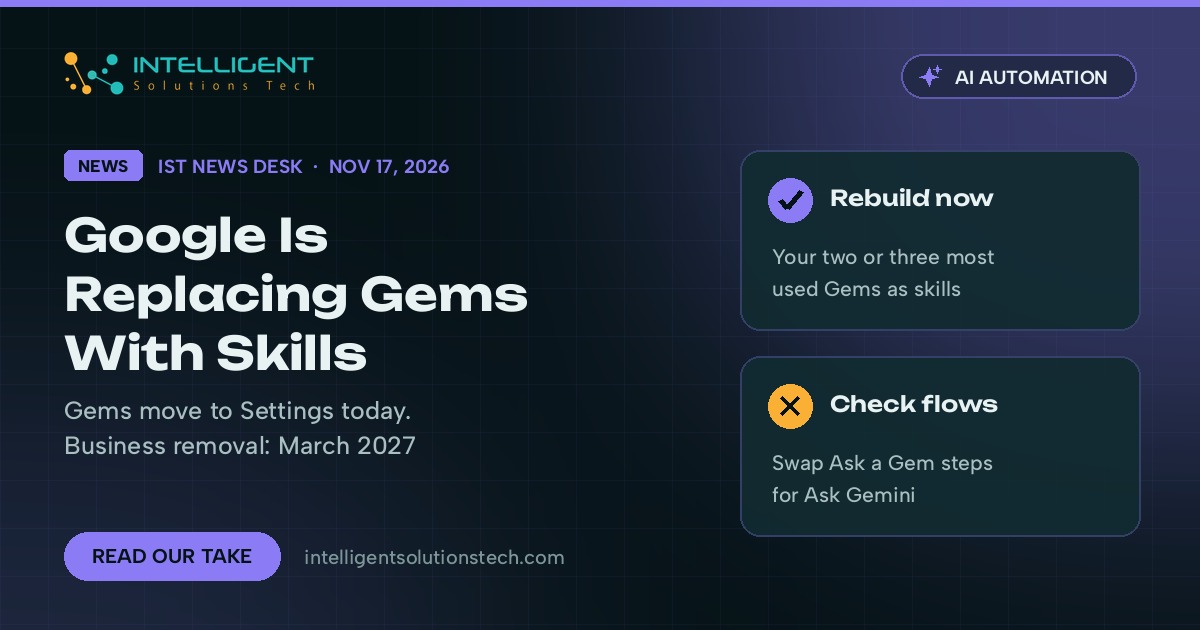
Google has started retiring Gems, the custom Gemini assistants many small teams built over the last two years, and is moving everyone to skills. As of today, November 17, Gems move into Settings in the Gemini app. They still work, and you can still create and edit them, but Google’s own admin guide says skills fully replace Gems for Business and Enterprise accounts no sooner than March 1, 2027.
We’re telling clients to treat the move from Gemini Gems to skills as a planned rebuild over the next few months. Nothing breaks this week. The teams that will feel it are the ones that built a Gem into a daily process, such as a proposal writer, a support reply helper or a Workspace Studio flow, and then forgot it was there.
Google also shipped two features on November 16 that make skills a better home than Gems were: you can now share a skill with colleagues, and you can attach files from Google Drive, Gemini Notebook and Google Photos.
What changed
Google set out the timeline in its Workspace admin help article on the transition from Gems to skills. Skills began rolling out in the Gemini app on October 13 and reached Workspace Studio, Gmail, Docs, Slides, Drive and Chat on the web on November 9. Today Gems move to Settings. Removal comes no sooner than March 1, 2027 for Business and Enterprise customers and June 1, 2027 for Education.
Google says it will convert remaining Gems into skills automatically, but only inside the Gemini app. Converted skills show up under Customize as inactive drafts, and the person who made each one has to review and switch it on before anyone can use it. Names, descriptions, instructions and uploaded knowledge files carry over, and so do Drive sharing settings. Google says it will publish full migration details at least 30 days before the automatic conversion starts.
Two gaps matter for businesses. Gems don’t migrate into Workspace or Gemini Enterprise, and skills made in the Gemini app don’t carry over there either, so anything your team runs inside Gmail, Docs or Studio has to be rebuilt as a skill in that product. In Workspace Studio, new flows can no longer use the Ask a Gem step, and Google asks flow owners to swap existing Ask a Gem steps for Ask Gemini steps before the migration.
The November 16 post on the Google Workspace Updates blog added the missing pieces:
- Shared skills: send any skill from the Skills page with View or Edit access. Recipients get an email and can review the skill before installing it.
- Files in skills: add files from Drive, Gemini Notebook, Google Photos or your device, up to 100 MB per skill. Drive files and Notebooks stay in sync as they change.
- Admin control: sharing is on by default, admins can turn it off, and it follows your organization’s Drive external sharing rules.
- Limits: sharing works only on the Gemini web app for now, and recipients need access to any Drive files in the skill.
Google says the rollout started November 12 and can take up to 15 days to reach every account.
What it means for your business
For most small teams, a Gem was a saved prompt with some reference files: a brand voice guide, a price sheet, a list of standard replies. Skills do the same job and add two things Gems handled poorly. Shared skills mean one person can maintain the house version of a task while everyone else uses it, instead of five people keeping five slightly different copies. Live Drive files mean the skill reads the current version of your policy doc or product list, so you stop re-uploading files every time something changes.
The risk is in the details. Because conversion lands as inactive drafts, a Gem that quietly powered someone’s morning routine will stop showing up until its owner turns the new skill on. If that owner has left the company, the draft may sit there unnoticed. And because shared skills follow Drive sharing rules, a company that allows external Drive sharing can also share skills outside the business. That’s useful with a contractor and a problem if the skill holds pricing notes or client details.
Skills also use the open SKILL.md format, according to Google. We like that. A skill written as plain Markdown is easier to read, review and move than a Gem was, and the same format works with other AI tools your team may already use.
What we’d do this week
- List every Gem in use. Ask each person to open Settings in the Gemini app and write down their Gems, what each one does and who relies on it.
- Delete the clutter. Google asks users to remove test, one-off and unused Gems before the migration. Fewer Gems means fewer drafts to review later.
- Rebuild the two or three that matter as skills now. Start with the Gem that saves the most time, recreate it as a skill, attach the source files from Drive and share it with the team.
- Check Workspace Studio flows. Any flow with an Ask a Gem step needs an Ask Gemini step instead. Test each flow once after the change.
- Decide who can share skills. If your Drive allows external sharing, decide whether skills should too, and turn sharing off in the Admin console if you’re not ready.
- Name an owner for each skill. Someone has to activate drafts after the conversion and keep the source files current.
If your team uses Gems inside bigger processes, such as drafting replies from a CRM or summarizing documents before they go to a client, this is a good moment to write those steps down properly. Our AI workflow automation team rebuilds these as skills and connected flows, and our AI automation consulting starts with an inventory like the one above. For background on how skills landed in Workspace, see our earlier brief on Workspace Studio skills and the Wait until step. You can also start with a free audit, and we’ll scope the work in writing.
Source: Google’s admin help article, About the transition from Gems to skills, and the Google Workspace Updates post of November 16, 2026.