Google is turning Gemini into an agent that does the work, and it wants that agent sitting inside your Gmail, Drive and Calendar. At its Gemini at Work event on October 8, Google Cloud announced the Google Gemini agent, which it calls a single agent for work that can answer questions, handle knowledge work, make images and write and run code.
Our view: this is worth preparing for and not worth buying anything for yet. Google hasn’t published a price or a general release date, and 9to5Google reports the agent is in private preview for now. The smart move this month is to tidy the things an agent will touch, so you’re ready when your plan gets it.
The prep work takes an afternoon. Skipping it is how a small team ends up with an AI coworker that can read the payroll folder.
What changed
According to the Google Cloud announcement by CEO Thomas Kurian, the Gemini agent works inline across Gmail, Drive, Docs, Sheets, Slides, Chat and Calendar. You give it a goal, and it can split the job into temporary sub-agents and keep running for hours or days after you close your laptop.
Google also described “coworker agents.” These are persistent agents with their own identity, their own email address on your company domain and their own storage. Google says each one can only see the context you give it, and every action is written to an audit trail under the agent’s name rather than a person’s.
A few other details matter for small businesses:
- Model choice. Google says the agent can route work across Gemini models and Anthropic’s Claude models today, with other models planned later.
- Connectors. The announcement lists Microsoft Office, Teams, Slack, Jira, Confluence, Salesforce and ServiceNow, plus any Model Context Protocol (MCP) server.
- Cost controls. Google mentions smart routing to cheaper models and hard spend caps, but gives no pricing for the agent itself.
- Rollout. TechCrunch reports businesses get it first and consumers later, with no consumer date. 9to5Google says wider availability is planned for select Workspace Business and Enterprise plans, also without a date.
What it means for your business
The headline feature is the agent with its own account. That changes the question from “what can AI write for me” to “what is this thing allowed to open.” In a lot of small companies, Drive sharing grew by habit. Folders are shared with “anyone in the organization,” old contractors still have access, and client files sit next to HR documents.
An agent that acts on your behalf will inherit whatever mess it’s given. Google’s permission controls sound sensible on paper, but they only help if your folders and groups make sense first.
The Microsoft 365 and Slack connectors matter too. Plenty of small businesses run Outlook and Teams with a few Google tools on the side. Google is clearly courting those mixed setups, so this isn’t only news for companies that live in Workspace.
Where we’d stay skeptical is the jump from demo to daily use. Long-running agents are good at research, first drafts and pulling data together. They’re less proven on jobs where one wrong step costs money, like sending invoices or changing CRM records. For those, a fixed workflow in Zapier, Make or n8n with a human check is still the safer bet, and it’s cheaper to run.
We’d also wait for pricing before planning around it. Google talked up spend caps and cheaper routing, which tells you agent costs can climb fast when a job runs for hours.
What we’d do this week
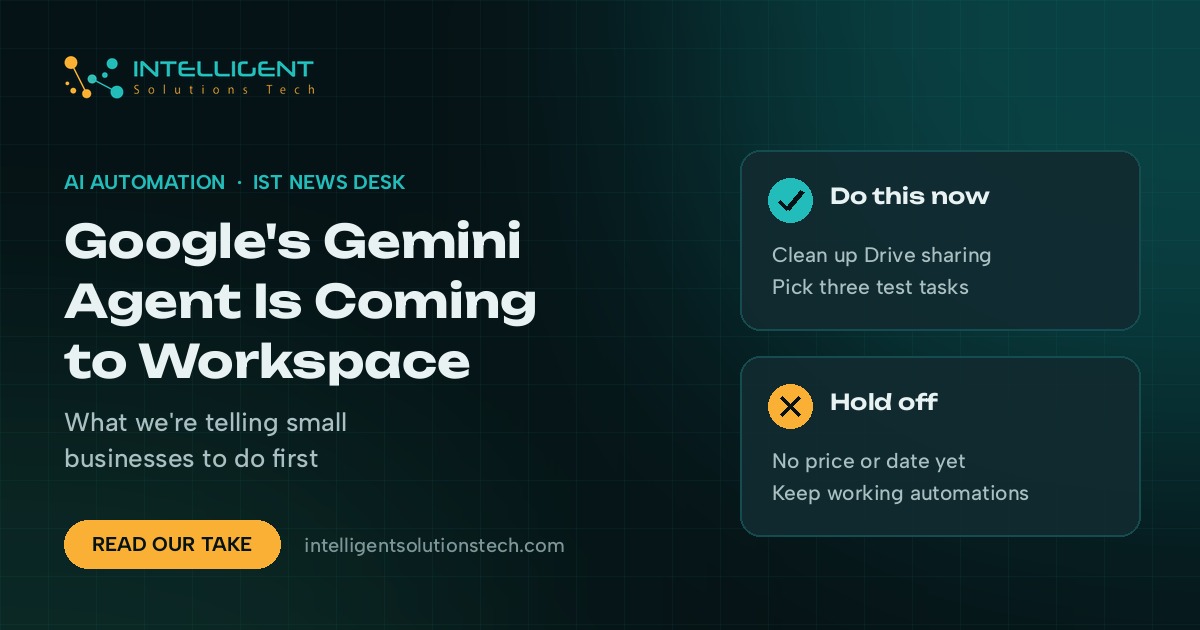
- Check your Workspace plan. Note which edition you’re on and who your admin is, so you can see quickly whether your plan is included when Google publishes the list.
- Clean up Drive sharing. Remove ex-staff and old contractors, and move HR, finance and client folders into restricted shared drives.
- Pick three candidate jobs. Write down three repeat tasks that need reading and judgment, like weekly sales summaries or proposal first drafts. Those are the best first tests for an agent.
- Leave working automations alone. Flows that move data between your CRM, inbox and invoicing tools don’t need an agent. Keep them running.
- Set a spending rule now. Decide who can approve AI spend and what monthly cap you’d accept, before anyone turns on a long-running agent.
If you want help mapping which of your tasks suit an agent and which suit a fixed workflow, our AI agents team and workflow automation service start with a free audit. You can also run your numbers through the automation ROI calculator, or read our take on Claude Haiku 5.5 for the cost side of AI automation. Ask for a free audit and we’ll send back a written plan.