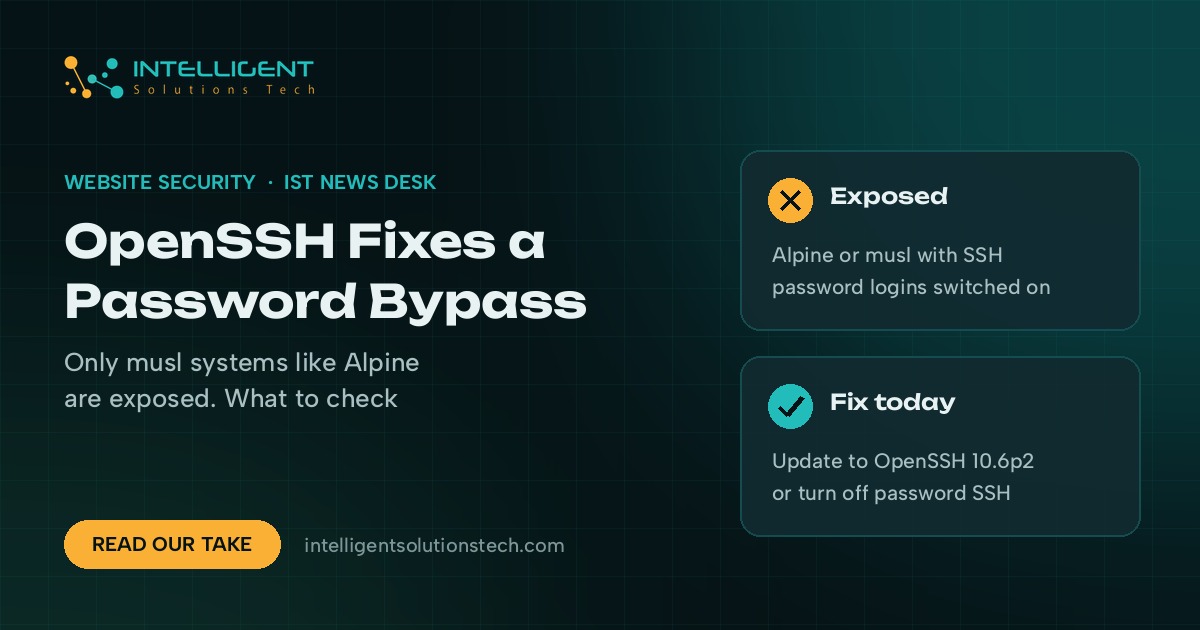
OpenSSH released version 10.6p2 on November 5, 2026 to fix a password authentication bypass that lets an attacker log into certain Linux servers without knowing any password. The researcher who found the OpenSSH password bypass flaw nicknamed it “*sshole”, and it has been sitting in the code since 2016. Within hours of disclosure it had thousands of points on Hacker News.
Most business owners can relax about this one. The bug only works on Linux systems built on the musl C library, mainly Alpine Linux, and only with a specific set of settings. Servers running Ubuntu, Debian, Fedora or other glibc-based systems aren’t affected, and those are the systems behind most VPS and dedicated servers that host small business websites.
We’d still spend ten minutes checking. Alpine turns up in places people forget about: Docker containers, cloud images spun up for a side project, and routers or other network gear. If one of those is reachable on port 22 with password logins switched on, fix it today.
What changed
The OpenSSH 10.6p2 release notes say the update is meant to “avoid password authentication bypass that is exploitable through sshd”. The notes add that the bug affects some Linux systems running with PAM support disabled, and that the OpenSSH team considers the root cause to sit outside sshd itself, even though sshd is where it can be stopped.
BleepingComputer’s write-up of the researcher’s findings explains the mechanics. Linux blocks password logins on an account by putting an asterisk where the password hash would be. Since a 2016 OpenSSH fix for a username-guessing bug, sshd hashes a submitted password even for those accounts. On musl, the crypt() function returns an asterisk when hashing fails, and it fails on any password longer than 256 bytes. Send an oversized password, the failed hash comes back as an asterisk, it matches the stored asterisk, and the login goes through.
According to BleepingComputer, all of these have to be true for the attack to work:
- The server runs OpenSSH on a musl-based system such as Alpine Linux, OpenWrt, Buildroot or Yocto.
- PAM authentication is off, which is the default in Alpine’s openssh-server package.
- SSH password authentication is switched on.
- At least one account has an asterisk as its password hash, and another account on the system has a real password hash.
The researcher also warned that Alpine’s official AWS and Azure cloud images ship a default “alpine” account with passwordless doas rights, which could hand an attacker root. Ars Technica reported that Alpine’s maintainers said the attack takes one connection and needs no retries. Accounts with real password hashes can’t be bypassed this way.
What it means for your business
If your website runs on shared hosting or a managed WordPress host, this isn’t yours to fix. You don’t control the host’s SSH setup, and hosting platforms commonly run on distributions like Ubuntu, Debian or AlmaLinux, which aren’t affected. A short note to support asking whether they run any Alpine systems with password SSH is reasonable, and that’s about it.
The exposure sits with businesses that run their own servers or containers. Alpine is a favorite base for Docker images because it’s small, and Ars noted that the official Alpine image on Docker Hub has passed a billion downloads. Most containers don’t run an SSH server at all, which keeps the real risk well below what the headlines suggest. The ones that do, often built by a freelancer years ago for a staging site or an internal tool, are the ones to find.
Office hardware matters too. OpenWrt runs on a lot of routers, and embedded devices can be slow or impossible to update. A router with SSH open to the internet and passwords enabled should be closed off today, patch or no patch.
Patching late doesn’t undo a break-in. If a vulnerable machine was exposed, read its logs before you call the job done.
What we’d do this week
- List every server, VPS, container and cloud image you or your developers manage, and note the operating system on each. Running
cat /etc/os-releasetells you in one line. - On anything Alpine-based, update OpenSSH with
apk upgrade opensshand restart the SSH service. - If you can’t update straight away, set
PasswordAuthentication noin the SSH server config and restart sshd. Key-based logins keep working. - Look for password logins that shouldn’t exist. On Alpine,
grep "Accepted password" /var/log/messageslists successful password logins, and any hit for an account that should be key-only needs a closer look. - Close port 22 to the public internet where you can, and limit SSH to your office IP address or a VPN.
- Ask your hosting provider or developer to confirm in writing which of your systems they checked.
We’ve written about a few hosting-side incidents this month, including the cPGuard update channel hijack, and the lesson keeps repeating: the risk lives in servers nobody remembers owning. Our website maintenance work includes keeping a record of what runs where, and our IT consulting team can review SSH access across your servers. For a second look at your site’s setup, start with a free audit.