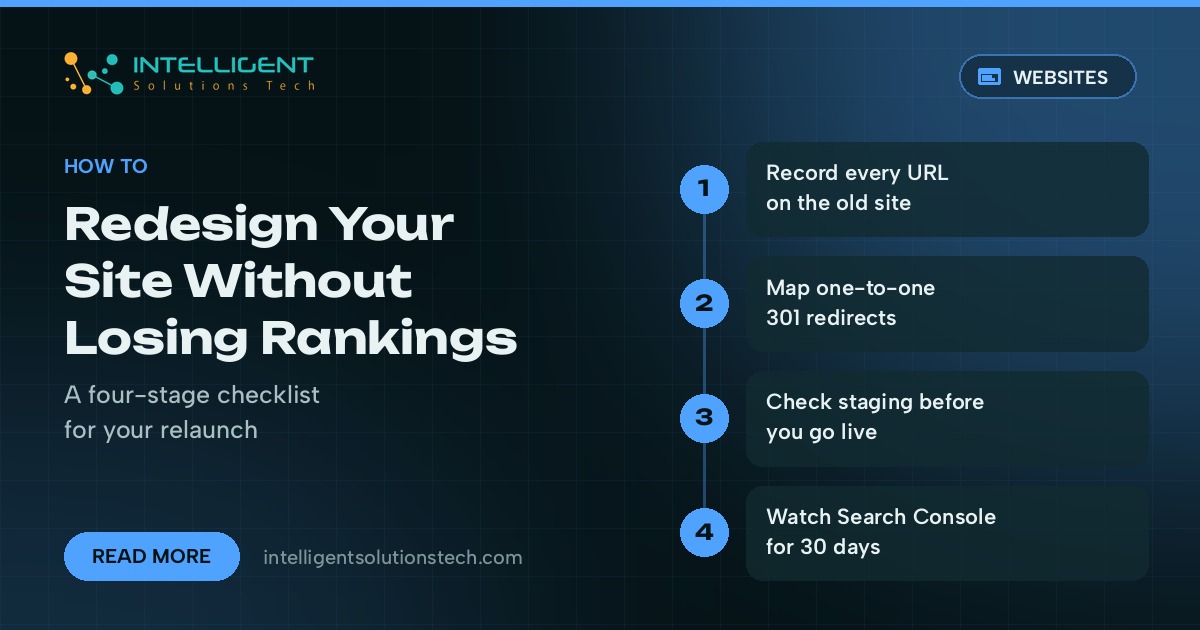
A website redesign SEO checklist is the list of checks you run before, during and after a relaunch so the new site keeps the search traffic the old one earned. Most ranking drops after a redesign come from a short list of avoidable mistakes: changed URLs with no redirects, pages that quietly disappear, and a staging setting that tells Google to stay away.
The fix is mostly bookkeeping. You record what the old site has, decide what happens to every URL, and then check the new site against that record before and after launch. You don’t need special software beyond a crawler and Google Search Console.
Below is the checklist we work from when we rebuild a site, split into the stages where things usually go wrong.
Why redesigns lose rankings
Google ranks individual URLs. When a page moves to a new address, the signals attached to the old address (links from other sites, history in the index, internal links) only pass across if a permanent redirect points to the new one. Without that redirect, the new page starts close to zero.
The other common causes are content cuts and technical leftovers. A designer trims a long service page down to three lines because it looks cleaner, and the page stops answering the searches it used to rank for. Or the developer forgets to remove the noindex tag or the robots.txt block from the staging site, and pages start dropping out of results within days.
A redesign that keeps URLs, content depth and indexing settings intact usually comes through with little movement. Search engines still need time to recrawl, so expect some short-term noise even when everything is done right.
Stage 1: Record what the old site has
Do this before anyone opens a design file. Once the old site is gone, this data is hard to rebuild.
- Crawl the live site. Use a tool like Screaming Frog or Sitebulb and export every URL with its status code, title, meta description, H1 and canonical tag.
- Export Search Console data. Pull the Pages report for the last 12 months and sort by clicks so you know which URLs bring in the traffic.
- Export analytics. Take your top landing pages from Google Analytics 4 for the same period, with conversions if you track them.
- List your backlinks. Use the Links report in Search Console, or Ahrefs or Semrush if you have them. Pages with external links need extra care.
- Save the technical files. Keep a copy of the current robots.txt, the XML sitemap and any structured data the site uses.
- Take a full backup. Back up files and database so you can roll back or recover old content later.
Put it all in one spreadsheet with one row per URL. This becomes your migration sheet, and every later step points back to it.
Stage 2: Plan URLs and redirects
The safest redesign keeps every URL that has traffic or links exactly as it is. Change URLs only when there’s a real reason, such as a messy structure you’re fixing for good.
For every old URL, add a column in the sheet saying what happens to it:
- Keep: same URL on the new site, no redirect needed.
- Move: new URL, with a 301 redirect from old to new.
- Merge: two thin pages become one, and both old URLs redirect to the merged page.
- Remove: the page has no traffic, no links and no purpose. Let it return a 404 or 410, or redirect it to the closest relevant page if other sites link to it.
Redirect each old URL to its closest match, one to one. Sending everything to the homepage is the classic mistake, because Google tends to treat those redirects as soft 404s and the old signals don’t carry across. Avoid redirect chains too. If an old page was already redirecting somewhere, point the original URL straight to the final destination.
If you’re also changing domain, Google Search Console has a Change of Address tool for domain moves. Use it once the redirects are live on the old domain.
The website redesign SEO checklist for launch week
Run these checks on the staging site, then again on the live site the day you launch. Most problems get caught here, while they’re still cheap to fix.
- Every URL marked Keep exists and returns a 200 status.
- Every Move and Merge redirect returns a single 301 to the right page. Test the full list with a crawler in list mode instead of clicking through by hand.
- Title tags, meta descriptions and H1s on important pages carry over or improve. Don’t let a template overwrite them with the bare page name.
- Main body content on ranking pages is still there. Compare word counts in the old crawl against the new one and flag any page that lost more than a third of its text.
- Internal links point to the new URLs directly, without passing through redirects.
- Canonical tags point to the page itself on the live domain, never the staging domain.
- Structured data from the old site is rebuilt and passes Google’s Rich Results Test.
- Images keep descriptive file names and alt text.
- The mobile layout works on real phones, since Google indexes the mobile version of each page.
- Page speed is no worse than before. Check Core Web Vitals in PageSpeed Insights on the main templates.
Keep staging out of search with password protection. A noindex tag on staging works too, as long as the launch plan has a line item to remove it.
Stage 3: Launch day
- Open the site to search engines. Remove any noindex tags and the staging robots.txt block, then load the live robots.txt and check it doesn’t contain
Disallow: /. - Switch on the redirect map. Crawl the full old URL list against the live site and fix anything that doesn’t land on the right page.
- Submit the new sitemap. Add it in Google Search Console and Bing Webmaster Tools.
- Request indexing for key pages. Use URL Inspection in Search Console on the homepage and your top ten pages.
- Test tracking. Confirm analytics and conversion events fire. A redesign that breaks form tracking makes it impossible to judge the result.
- Test the money paths. Submit every form, tap the phone links and run a test order if you sell online.
Stage 4: The first 30 days after relaunch
Watch closely, fix fast, and hold off on more big changes while Google recrawls the site.
- Check the Pages report in Search Console every few days for new 404s, jumps in redirected pages, or pages excluded by noindex.
- Compare clicks and impressions for your top URLs week over week against the same weeks before launch.
- Add a redirect for any 404 that has links or traffic.
- Keep the redirects in place long term. Google’s site move documentation recommends keeping them for at least a year, and many sites never remove them.
Some movement in the first few weeks is normal. A steady drop on specific pages almost always points to a missing redirect, lost content or a template problem on that page type, and your old crawl tells you which.
Common redesign mistakes we see
- Building the new site first and thinking about SEO the week before launch.
- Cutting service page copy to fit a design mockup.
- Redirecting every old blog post to the blog index.
- Launching late on a Friday with nobody watching Search Console.
- Changing domain, platform and URL structure all at once, which makes any drop hard to diagnose.
- Deleting the old site’s backup a week after launch.
Plan your relaunch with us
If you’re planning a rebuild, our website redesign service runs this checklist as part of the project, with a migration sheet you review before anything goes live. If you’re moving host or platform at the same time, our website migration team handles redirects and DNS. For a site that already lost traffic after a relaunch, start with technical SEO or a free audit. You can also read what we check in a technical SEO audit, or get a rough budget from the website cost calculator.