OpenAI started rolling out GPT-6 to ChatGPT on October 7, 2026, together with a new feature it calls Intelligent UI. Paid plans (Plus, Pro, Business and Enterprise) got it first, and OpenAI said on its announcement page that Free and Go users would follow the next day. Answers can now include charts, buttons, forms and small working tools built right inside the chat.
Our view: this is a real upgrade to the ChatGPT app your team already uses, and you don’t need to rebuild anything because of it. OpenAI says the models behind its Work and Codex products are unchanged in this release, and the announcement says nothing about new API models or pricing. If you run automations on OpenAI’s API, nothing in this announcement changes them.
Where it does matter is in how your staff work day to day, and in what your customers see when they ask ChatGPT about businesses like yours. Those two things are worth an hour this week. The rest can wait until the dust settles.
What changed
OpenAI’s announcement names two versions. GPT-6 Sol runs ChatGPT for Plus, Pro, Business and Enterprise accounts, and GPT-6 Luna runs it for Free and Go. OpenAI describes both as tuned for everyday conversation. For Enterprise workspaces, availability depends on admin settings.
The headline feature is Intelligent UI. Instead of a wall of text, ChatGPT can answer with diagrams, editable charts, tappable buttons and forms. Ask it for a bill splitter or a savings calculator and it builds a working one in the conversation. TechCrunch, which saw a demo, reported that users can turn the visuals down if they prefer plain text.
OpenAI also says GPT-6 can start answering while it’s still reasoning. By its own internal tests, the Instant version starts answering web-search questions 44% sooner on average than GPT-5.6 Instant. Those are vendor numbers from vendor tests, so we’d wait for independent testing before leaning on them.
On the same day, OpenAI published a case study on Radisson Hotel Group, which built a ChatGPT plugin that lets travelers compare hotels on a map and then continue to Radisson’s own site to book. OpenAI says ChatGPT now surfaces that plugin automatically when it’s relevant.
What it means for your business
For most small teams, the practical change is inside ChatGPT itself. Staff who use it to draft customer emails, summarize calls or rough out quotes will get different answers this week than last week. Many will be better. A few will drift far enough to break a saved prompt or a custom GPT that someone tuned by hand.
Intelligent UI is handy for quick internal tools. A sales rep can sketch a margin calculator in a minute. We’d keep those for internal use. Anything a customer relies on, like an estimate or a booking form, still belongs on your website, where you control the numbers and can see who used it.
The bigger shift is on the customer side. OpenAI says more than 1.2 billion people use ChatGPT each week, and they’re all getting richer, more visual answers. When someone asks ChatGPT to compare local plumbers or accounting firms, the answer is built from what it can find and trust about each business. The Radisson plugin shows where large brands are heading. A small business can compete without a plugin. What it needs is clear, accurate pages that say what it does, where it works and who it serves.
We’d also flag a privacy point. When a free tool gets noticeably better, more staff start pasting work into personal accounts. Customer data belongs in a Business or Enterprise workspace with admin controls, never in someone’s personal login.
What we’d do this week
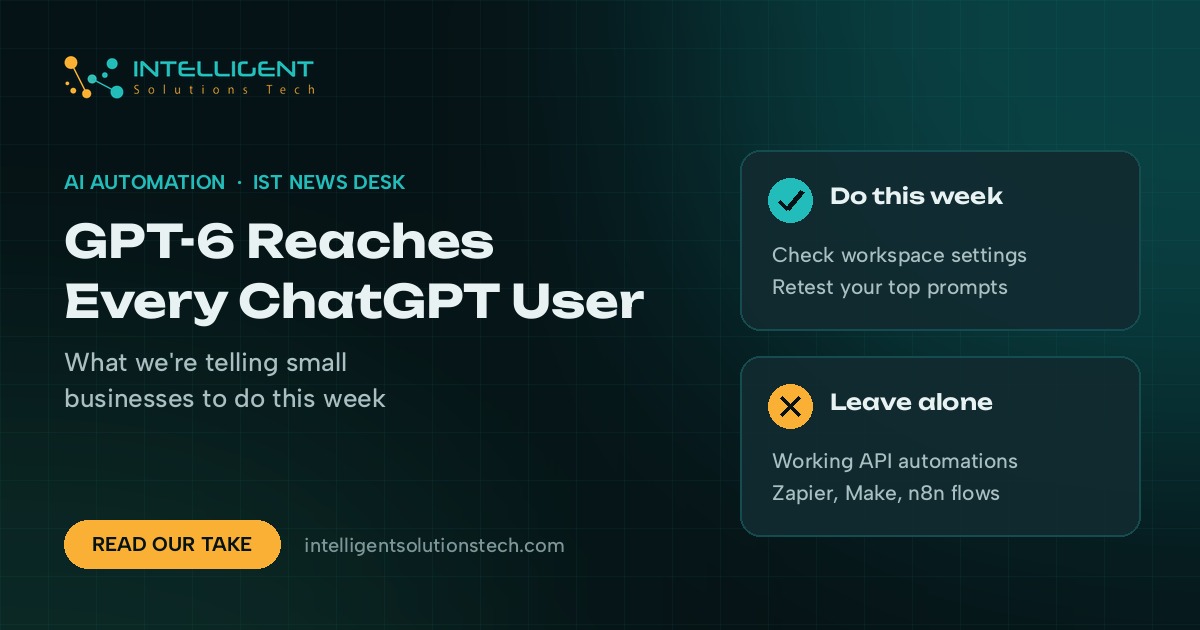
- Check your workspace settings. If you’re on ChatGPT Business or Enterprise, have your admin confirm whether GPT-6 is switched on and make the call before staff start asking.
- Retest your five most-used prompts. Run the prompts your team leans on (email replies, call summaries, quote drafts) and compare the results with last week’s. Fix any saved instructions or custom GPTs that drift.
- Leave your API automations alone. OpenAI hasn’t announced API changes in this release, so there’s no reason to touch working Zapier, Make or n8n flows.
- Ask ChatGPT about your own business. Type the questions your customers ask, like “best bookkeeper for contractors in Denver”, and note whether you show up and what it says. Then fix the pages on your site that are thin or out of date.
- Write a one-line rule on personal accounts. No customer data in personal AI accounts. Put it in your handbook and say it out loud at the next team meeting.
If you want ChatGPT wired into the systems you already run, our ChatGPT integration team builds exactly that, and our AI workflow automation service covers the wider picture. Our list of workflows worth automating first is a good place to start. Curious how your site looks to search engines and AI answers? Ask for a free audit.