ChatGPT vs Claude for business is the comparison we get asked about most by owners who want AI working inside their daily operations. Both are AI assistants with business plans, developer APIs and connectors for the apps you already run. For most automation work either one can do the job, and the real differences show up in writing tone, long documents, tool connections and how your team already works.
ChatGPT is the AI assistant built by OpenAI, and Claude is the AI assistant built by Anthropic. Inside an automation they play the same part: a step that reads text, makes a judgment call and writes something back, such as a reply draft, a summary, a data field or a routing decision. The model sits inside a workflow built in Zapier, Make, n8n or custom code, and the workflow handles everything around it.
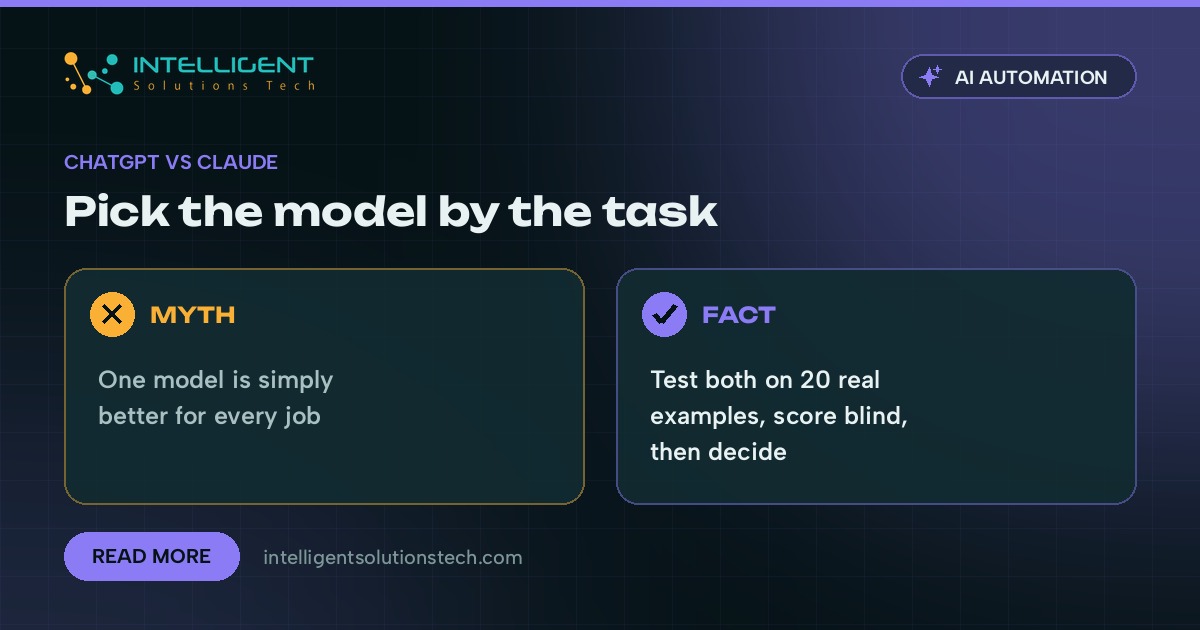
Our short answer is to choose by task and test both on your own data before you commit. Below is how we make that call for clients, where each model tends to fit, and the setup details that matter more than the brand name on the model.
The three ways a business actually uses these tools
Most comparisons look only at the chat window. In a working business there are three separate ways to use ChatGPT or Claude, and the right pick can differ for each one.
- The chat app for staff. People paste in an email, a spreadsheet or a contract and ask for help. This is where habits form, so the tool your team already likes has a head start.
- The shared team workspace. ChatGPT has custom GPTs and Claude has Projects. Both let you store instructions and reference files once, so every staff member gets the same answers on pricing rules, tone or process.
- The API inside an automation. No one opens a chat window. A form submission, a new email or a new invoice triggers a workflow, the model does one job, and the result lands in your CRM, help desk or accounting software.
The third one is where automation lives, and it is also where switching between providers costs the least. Both APIs take a prompt and return text or structured data, so a well-built workflow can swap one model for the other in an afternoon.
ChatGPT vs Claude for business: where each tends to fit
Model versions change every few months, so treat any head-to-head result as a snapshot. These are the patterns we look at when we set up a new workflow.
Writing tone and long drafts
Claude has a reputation for drafts that read like a careful person wrote them, with fewer stock phrases. ChatGPT is quick and flexible across formats and can be pushed toward any tone with good examples. For customer-facing text like support replies or proposals, run the same five real emails through both and let the person who usually writes them pick the winner without knowing which is which.
Long documents and policy work
Both handle long inputs such as contracts, handbooks and multi-page reports. The question is how well each one sticks to the source. Give each model your longest real document and ask questions you already know the answers to, including a few where the honest answer is that the document doesn’t say. The model that admits gaps instead of filling them is the one to trust with policy questions.
Tool connections and agents
Anthropic introduced the Model Context Protocol (MCP) in late 2024 as an open standard for connecting AI models to outside tools and data, and OpenAI added support for it in 2025. That has narrowed the gap on connections a lot. Both models can now call tools, read from approved systems and take multi-step actions. If you’re weighing a simple automation against an AI agent that decides its own steps, our post on AI agents vs automations walks through that choice.
Features bundled in the app
ChatGPT’s app bundles a wide spread of features in one place, including custom GPTs that staff can build and share. Claude’s app is more focused on reading, writing, analysis and code. If most of your use is staff working in the chat window, list the five things they do most often and check that the plan you’re buying covers all five.
Code and website work
Anthropic’s Claude Code and OpenAI’s Codex both read, write and edit code from a developer’s terminal. For businesses that run their own website, scripts or internal tools, this is a real factor. Ask whoever maintains your code which one they’re faster with, because their speed is the cost you’ll actually pay.
Five common automations and how we’d test them
- Support inbox reply drafts. Tone matters most here. Test both on 20 past tickets, keep a human approval step, and track how often the draft is sent with no edits.
- Invoice and document extraction. Ask each model to return fixed fields as JSON and compare the output against the real values. Accuracy on your own messy scans beats any public benchmark.
- Lead qualification and routing. This is short, repetitive and high volume, so a smaller, cheaper model from either provider usually does fine. Test speed and cost per run as much as quality.
- Contract and policy summaries. Use your longest real document. Check whether each model quotes the right clause and says clearly when something isn’t covered.
- Blog, social and newsletter drafts. Give both the same brief and style examples. Pick the one that needs fewer edits from your editor.
How to run a fair test in one week
You don’t need a long pilot. A focused week with real examples tells you more than a month of reading reviews.
- Collect 20 real examples of the task, including a few awkward ones, with any client data removed or covered by a business plan.
- Write one prompt with clear instructions, two good examples and the exact output format you want.
- Run both models through the API, or through the OpenAI and Anthropic modules in Zapier, Make or n8n, so the test matches how the automation will really run.
- Score the outputs blind. Strip the model names and have the person who owns the task rate each result as usable, needs edits or wrong.
- Check cost and speed per run using each provider’s current price list, then put the numbers into our automation ROI calculator to see if the workflow pays back.
If the scores are close, pick the one your team already uses. Familiarity saves more time than a small quality edge.
Setup details that matter more than the model
When an AI workflow disappoints, the cause is rarely the brand of model. It is almost always one of these.
- Vague prompts. Instructions with no examples get inconsistent results from any model. Two or three real examples fix most quality problems.
- No output checks. If the model returns data for your CRM, validate the fields before writing them. A missing email or a malformed date should stop the run and alert a person.
- No human approval where it counts. Anything that goes to a customer, moves money or changes a contract needs a review step until you trust the output.
- Personal accounts holding client data. OpenAI and Anthropic both state that data from their business and API products isn’t used to train models by default. Free personal accounts work differently, so keep client data on business plans or the API and read the current terms for the plan you pick.
- Unpinned model versions. Providers retire and update models regularly. Pin the model version in your API calls and retest your 20 examples before you switch to a newer one.
Using both in the same workflow
Many of the automations we build use more than one model. A small, fast model sorts incoming emails, a stronger one drafts the replies that need care, and a fallback to the other provider kicks in if one API is down. Because the workflow tool holds the logic, the models become parts you can swap, which keeps you from getting locked into one vendor’s pricing or roadmap.
This is also why we set up the workflow first and choose the model second. A clean process with good examples and approval steps works with ChatGPT or Claude. A messy process fails with both.
Where to start
If your team already lives in one of these tools, start there and run the one-week test on your highest-volume task. If you’re starting fresh, test both on that task and decide on the scores. We set up Claude for business teams and ChatGPT integrations, and we build the surrounding workflows in tools like Zapier, Make and n8n. Send us the task you want to automate by WhatsApp or the contact form and we’ll tell you which model we’d test first, with the work priced after a free audit.