Email support outsourcing means paying an outside team to read, answer and route your customer emails, usually inside the help desk or shared inbox you already use. Done well, customers get faster replies, your own staff stop living in the inbox, and nothing about the experience feels handed off.
Done badly, it means a stranger with your Gmail password sending vague replies to angry customers. The difference comes down to three things you set up before the first ticket: how the team gets access, what rules protect your customers’ data, and the playbook they answer from.
This guide covers each of those, plus how to run the first month so you can see quality before you widen the scope.
What an outsourced email support team actually does
Most small and mid-sized businesses hand over a defined slice of the inbox first. The typical starting scope looks like this:
- Answering repeat questions about orders, delivery, bookings, accounts and policies.
- Tagging and routing emails that need a specialist, like billing disputes, refunds above a set amount or technical faults.
- Processing simple requests inside your systems, such as address changes, resending invoices or rescheduling appointments.
- Chasing up open tickets so nothing sits unanswered over a weekend or a holiday.
- Logging recurring problems and sending a short summary so you can fix the cause at the source.
What usually stays in-house at first: legal complaints, press, large refunds, anything involving a regulator, and emails from your biggest accounts. You can move these over later once you trust the team’s judgment.
When email support outsourcing makes sense
It’s a good fit when the inbox is eating hours that should go to sales, delivery or running the business. Common signs:
- Replies routinely take more than a working day, and customers chase you on social media or by phone.
- A founder or senior manager answers routine emails at night.
- Volume spikes around launches, sales or seasons, and you can’t justify a full-time hire for the peaks.
- Your customers are in time zones you can’t cover, such as an Australian business with US buyers or a UK firm with customers across Europe.
It’s a weaker fit if most of your emails need deep product knowledge that changes weekly, or if you only get a handful a day. In that case a few saved replies and an AI draft assistant inside your help desk may be enough.
How to set up access without sharing passwords
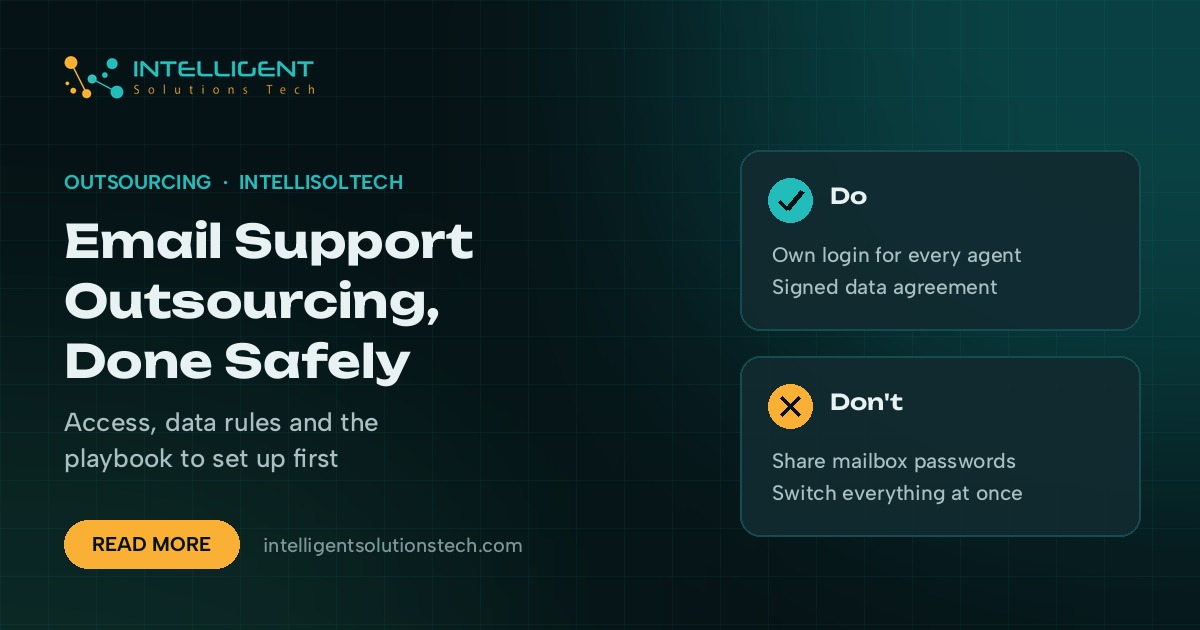
Never hand over the password to a personal or admin mailbox. Give each agent their own login, with only the permissions the job needs, so you can see who did what and remove access in seconds.
- Use a help desk if you can. Zendesk, Freshdesk, Help Scout and Gorgias all let you add agents with their own logins and limited roles. Every reply is logged against the agent who sent it.
- If you’re on Google Workspace, a Google Group set up as a collaborative inbox, or mail delegation to a named account, avoids sharing the main password. Microsoft 365 offers shared mailboxes with per-user permissions.
- Turn on two-factor authentication for every agent account, and require it in the help desk’s security settings.
- Limit connected systems. If agents need your store or CRM, give them a support-level role without admin rights. Shopify, for example, lets you set staff permissions per area of the admin.
- Plan the exit on day one. Write down every account an agent gets, so offboarding is a quick checklist.
Data protection rules that apply
When an outside team reads your customer emails, they’re handling personal data on your behalf. The rules that apply depend on where your customers are. Where the support team sits doesn’t change that.
If you have customers in the EU or UK, the GDPR (and the UK GDPR) treats you as the controller and the support provider as a processor. Article 28 requires a written contract, often called a data processing agreement, that sets out what the processor may do with the data, the security measures it uses and what happens to the data when the contract ends. Transfers to a team outside the UK or EU also need a valid transfer mechanism, such as the European Commission’s standard contractual clauses or the UK’s International Data Transfer Agreement or Addendum.
In Australia, the Privacy Act 1988 and its Australian Privacy Principles apply to many businesses, and APP 8 covers sending personal information overseas. In the US, there’s no single federal rule for most support data, but state privacy laws such as California’s CCPA set contract requirements for service providers. If you’re unsure which apply, ask your lawyer before you sign anything.
Practical steps help as much as paperwork:
- Keep customer data inside your systems. Agents work in your help desk and never in spreadsheets or personal email.
- Mask or avoid card numbers and ID documents. If a customer sends one, agents should know to delete it and reply without repeating it.
- Use company-managed devices or a locked-down browser profile for agents, and block downloads of attachments where the help desk allows it.
- Review access logs monthly and remove anyone who has left the team.
Write the support playbook before the first ticket
The playbook is what turns a capable stranger into someone who sounds like your business. It doesn’t need to be long. It does need to be specific.
- Tone of voice. Three or four rules with examples, like “use the customer’s first name” or “never say ‘per our policy'”.
- Saved replies. Templates for your twenty most common questions, written by you, which agents adapt rather than paste.
- Decision rules. What agents can approve on their own, such as a refund up to a set amount or a free reschedule, and what they must escalate.
- Escalation paths. Who gets which kind of email, how fast, and what to tell the customer while they wait.
- Reply-time targets. Your target for a first reply and for resolution, by priority. Put them in the help desk as service level rules so overdue tickets stand out.
- Banned moves. No promises about delivery dates you can’t control, no guesses about policy, no discussing other customers.
Run the first month in stages
Don’t switch the whole inbox over on a Monday morning. Stage it so you can check quality while the stakes are low.
- Week 1: drafts only. Agents write replies as drafts or internal notes, and someone on your side approves and sends.
- Week 2: send with review. Agents send routine replies themselves. You review a sample each day and give feedback in the ticket.
- Weeks 3 and 4: full routine scope. Agents own the agreed categories. You review a smaller sample and look at reply times and reopened tickets.
- End of month: widen or adjust. Add new categories or hours only once the first set is running cleanly.
What to measure
Pick a few numbers you can pull from the help desk without extra work, and look at them every two weeks:
| Measure | What it tells you |
|---|---|
| First reply time | Whether customers are waiting too long to hear back |
| Resolution time | Whether problems actually get solved |
| Reopened tickets | Whether the first answer was right |
| Escalation rate | Whether the playbook covers enough, or agents are unsure |
| Customer satisfaction rating | How the reply felt, if your help desk sends a short survey |
Read real tickets too. Numbers won’t show you a reply that was technically correct and still made the customer feel brushed off.
Where AI fits alongside the people
AI handles more of the inbox every year, but it works best as support for the team rather than a replacement. A sensible setup uses AI to suggest a draft from your saved replies and help articles, tag and route incoming email, and summarize long threads before an agent picks them up. The agent checks and sends.
If many of your emails come from people who couldn’t find an answer on your website, an AI chatbot on the site can catch those questions earlier and cut the email volume your team handles.
Picking a provider
Ask any provider how agents get access, whether they’ll sign a data processing agreement, how they train new agents on your business, who covers sick days and holidays, and what reporting you’ll get. A short paid trial on a narrow scope tells you more than any sales deck.
If you’re weighing an offshore team, our guide to outsourcing to Pakistan covers time-zone overlap, payments and contracts. For a single dedicated helper who covers email alongside other admin work, see our virtual assistant services.
Hand your inbox to a team that works in your systems
Our non-voice BPO team handles email and chat support inside your own help desk, under a data processing agreement, with a staged start and a report every two weeks. It begins with a free audit of your inbox and a written scope you approve before anyone touches a ticket.