A virtual assistant for small business is a remote team member who handles the recurring admin that keeps a company running: email, scheduling, data entry, CRM updates, invoice follow-ups and research. They work inside your tools, on a set number of hours, from a written list of tasks you agree up front.
The short answer to what they do is this: whatever you’re doing that doesn’t need you. If a task follows the same steps every time and you can explain it in a page, an assistant can usually own it within a few weeks.
Below is how that plays out in practice, which tasks to hand over first, and how to set the work up so it doesn’t fall apart in month two.
The tasks a virtual assistant handles day to day
Most small business owners hire an assistant for one painful job and then find five more. These are the categories we see most often when owners in the US, UK and Australia send us their lists.
Inbox and calendar
- Sorting incoming email into reply, delegate, file and ignore
- Drafting routine replies for you to approve, then sending them once you trust the tone
- Booking calls, sending confirmations and moving meetings when something clashes
- Blocking focus time and keeping it clear
Sales and customer admin
- Entering new leads into the CRM with source, notes and next step
- Logging call notes and moving deals between stages
- Sending quotes from a template and chasing them after a set number of days
- Updating customer records after an order, a change of address or a complaint
Finance admin
- Logging receipts and matching them to transactions in QuickBooks or Xero
- Sending polite reminders on overdue invoices
- Preparing a weekly list of who owes what for you or your bookkeeper
Research and operations
- Comparing suppliers, software or venues and writing a one-page summary
- Building prospect lists from LinkedIn and company websites
- Updating product listings, price sheets or a shared drive that’s grown messy
- Formatting proposals, reports and slide decks from your notes
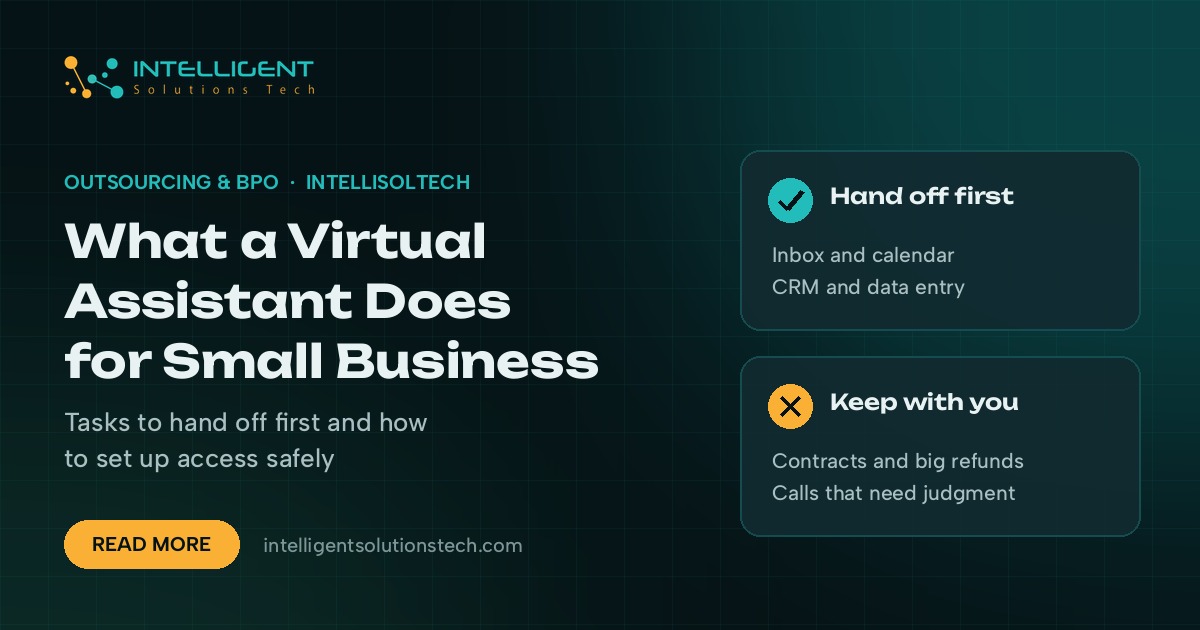
What an assistant shouldn’t do is make decisions that need your judgment or your license. Approving refunds above a set amount, signing contracts and giving professional advice stay with you.
Which tasks to hand off first
The fastest wins come from tasks that are frequent, low risk and easy to check. Start there, and move to higher-stakes work once you’ve seen a few weeks of output.
- List everything you did last week. Go through your calendar and sent mail and write down each admin task with a rough time next to it.
- Mark each one by risk. Low risk means a mistake is easy to spot and cheap to fix, like a CRM entry. High risk means money, legal exposure or an angry customer.
- Pick three low-risk, high-frequency tasks. These are your first month. Inbox sorting, calendar booking and data entry are the usual picks.
- Write a short how-to for each. Screenshots and a numbered list are plenty. Your assistant will improve it as they go.
- Review daily for a week, then weekly. Spot checks are enough once the error rate drops.
Owners often try to hand off the hardest, most annoying task first. That usually backfires, because the assistant doesn’t have enough context yet and you end up redoing the work.
How to set up access without handing over your passwords
Security worries stop a lot of owners from hiring help. They’re fair worries, and most of them go away with a few basic habits.
- Give the assistant their own login in every tool that supports extra users: Google Workspace, Microsoft 365, HubSpot, QuickBooks and most project boards do.
- Use a password manager such as 1Password or Bitwarden for tools that only allow one login, and share single entries rather than your whole vault.
- Turn on two-factor authentication and decide who receives the codes.
- Use delegated access for email where possible. Gmail and Outlook both let one user act on another’s mailbox without sharing the password.
- Remove access on the last day and keep a simple list of every tool the assistant could reach.
If you’re in the UK or EU and your assistant will handle customer personal data, you’ll also want a data processing agreement in place. That’s a normal part of working with any outside provider under GDPR, and a good provider will offer one without being asked.
Freelancer, agency or in-house: how the options compare
You can hire a virtual assistant three ways, and each suits a different stage of business.
- A freelancer from a marketplace gives you direct contact and quick start. You handle vetting, cover for sick days and holidays yourself, and the process knowledge leaves with them if they move on.
- An assistant provided through an agency comes with a manager, cover when your assistant is off, and written process docs the agency keeps. You pay for that structure through the monthly plan.
- An in-house hire makes sense once the workload is steady at full time and you want someone in the room. It also brings payroll, benefits and office costs.
Many owners start with a part-time assistant through an agency, prove the workload over a few months, and then decide whether to keep it outsourced or bring it in-house.
What a good first month looks like
A realistic first month has a slow start. Week one is mostly reading your process notes, getting logins working and doing the simplest tasks while you watch.
By week two, the assistant should be handling your first three tasks with light review. In weeks three and four, you add one or two more and shift to a short weekly check-in.
Signs it’s working: you open your inbox to fewer unread messages, your CRM is up to date without you touching it, and you stop thinking about follow-ups because someone else is tracking them. Signs it isn’t: you’re explaining the same task three times, or you’re checking every single item at the end of the month. Both usually point to missing process notes rather than the wrong person.
Where a virtual assistant stops and automation starts
Some admin is better done by software than by a person. Copying form entries into a spreadsheet, sending the same reminder email on a schedule, or moving a file from one folder to another every time an order comes in are jobs for a Zapier, Make or n8n workflow.
The best setups use both. The workflow does the copying, and the assistant checks the output, handles the exceptions and deals with anything that needs a human reply. We cover the first tasks worth automating in seven business workflows worth automating first, and our AI email triage service pairs well with an assistant who owns the inbox.
Hiring a virtual assistant for your small business from overseas
Plenty of US, UK and Australian businesses hire assistants based in Pakistan, the Philippines or Latin America. The main thing to get right is working hours. Agree an overlap window with your day, and agree how fast messages sent outside that window get a reply.
Payment, contracts and data handling are the other pieces. Our page on how we work with overseas clients walks through each one, along with the scope, review and reporting steps we use.
Getting started with Intelligent Solutions Tech
We provide dedicated assistants from our Lahore office as part of our non-voice BPO services, on a fixed monthly scope agreed in writing. Send us your task list through the free audit form, WhatsApp or email, and we’ll come back with a proposal. No sales call is needed. You can also read more on our virtual assistant services page.