Lead qualification automation is a workflow that reads every new inquiry, scores it against rules you set and sends it to the right person or follow-up sequence within minutes. A form fill, chat or email comes in, the system checks who the lead is and what they want, gives them a score and routes them. Nobody has to sort the inbox by hand first.
Speed is the main reason to do it. A study published in Harvard Business Review in 2011, “The Short Life of Online Sales Leads”, found that firms that tried to contact a lead within an hour were nearly seven times as likely to qualify it as firms that waited even an hour longer. Manual triage is usually where that hour goes.
This guide covers how the workflow fits together, how to write scoring rules that hold up, where AI helps, and a one-week plan to get a first version running.
How a lead qualification workflow works
Every setup we build follows the same six stages. The tools change from business to business, but the order doesn’t.
- Capture. The lead arrives from a web form, live chat, a landing page, an email inbox or a booking tool. Each source sends its data to one place.
- Clean and enrich. The workflow fixes formatting, removes duplicates and adds what it can find, such as company size or location from the email domain.
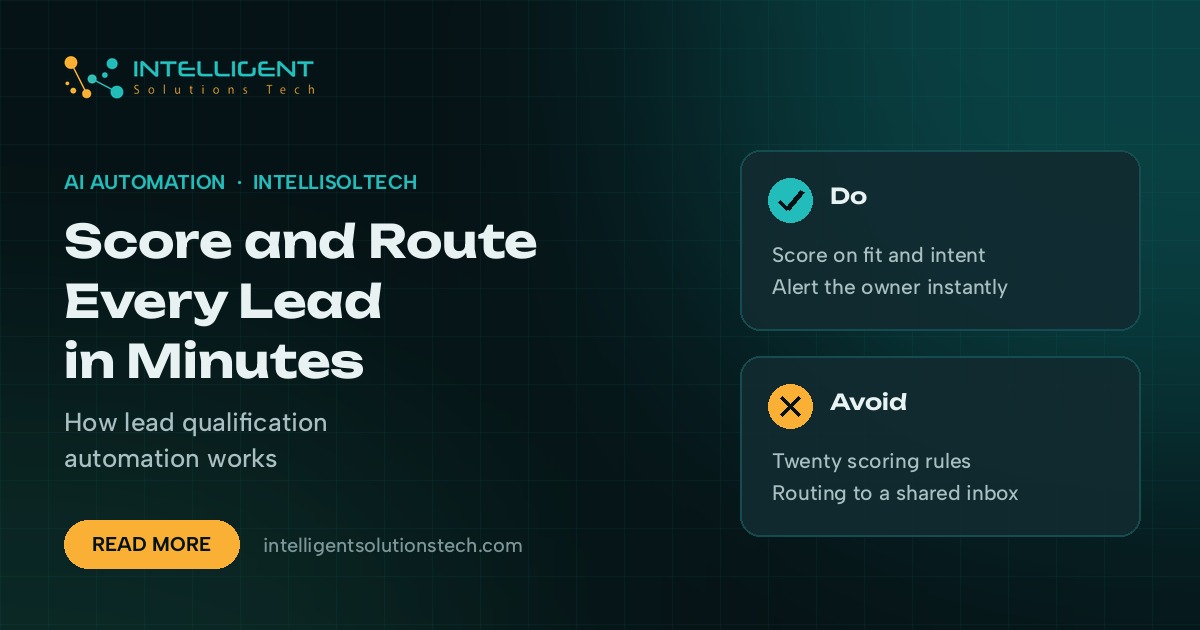
- Score. Rules add or subtract points for fit (is this the kind of customer you serve) and intent (are they ready to buy now).
- Route. The score and a few hard rules decide where the lead goes: a salesperson, a nurture sequence, a different team or the discard pile.
- Alert and follow up. Hot leads trigger an instant message to the owner and a holding reply to the lead. Warm and cold leads get the right email sequence.
- Log. Everything lands in your CRM with the score, the reasons behind it and the owner, so you can check the rules later.
Building scoring rules that hold up
Split your signals into two groups. Fit tells you whether the lead looks like your best customers. Intent tells you whether they want to act soon. A good fit with no intent goes to nurture. Strong intent from a poor fit often wastes a sales call.
Start with five to eight signals at most. Here’s an example for a business that sells a monthly service to other companies:
| Signal | Type | Example rule | Points |
|---|---|---|---|
| Location | Fit | Lead is in a country you serve | +15 |
| Company size | Fit | Team size in your target range | +15 |
| Service asked about | Fit | Matches a core service | +10 |
| Timeline | Intent | Wants to start within 30 days | +20 |
| Pricing page visit | Intent | Viewed pricing before submitting | +10 |
| Free email domain | Fit | Uses a personal address for a business inquiry | -10 |
| Student or job seeker | Fit | Message mentions an internship or job | -50 |
Then set your tiers. For example, 50 points or more is hot and goes to a person straight away, 25 to 49 is warm and gets a nurture sequence, and anything lower gets a polite reply and a newsletter invite. These numbers are a starting point. Adjust them once you can see which scores turned into paying customers.
Keep a few hard rules outside the score. A lead from a country you can’t serve, or a message that’s clearly a vendor pitch, shouldn’t depend on points. Send it straight to the right bucket.
Where AI helps and where plain rules work better
Plain rules are cheap, fast and easy to audit. If your form asks for country, budget band and timeline in drop-downs, you don’t need a language model to read them.
AI earns its place when leads arrive as free text. An email that says “we’re a 12-person accounting firm in Leeds and our website keeps going down” carries location, size, service and urgency, but no drop-down captured any of it. A model such as Claude or ChatGPT, called through its API, can read that message and return structured fields your rules can score.
Good jobs for the AI step include:
- Pulling company name, size, location and service needed out of a free-text message
- Classifying the inquiry as sales, support, partnership, job application or spam
- Writing a two-line summary for the salesperson who receives the alert
- Drafting a first reply that a person reviews before it goes out
Keep the final decision in rules you can read. Let the model extract and classify, then let your scoring rules decide. That way you can explain why any lead went where it did. Our post on AI agents vs automations goes deeper on when to hand a model more control.
Routing: getting each lead to the right place
Routing is where most of the time savings show up. The common patterns are:
- By tier. Hot leads go to a person, warm leads to nurture, cold leads to a newsletter.
- By service. A website inquiry goes to the web team, an SEO inquiry to the SEO lead.
- By territory or time zone. A lead from Sydney goes to whoever is awake and covering Australia.
- Round robin. Hot leads rotate across salespeople so nobody gets buried.
For hot leads, send two things at once. The owner gets an alert in Slack, Teams, SMS or WhatsApp with the summary and a link to the CRM record. The lead gets a short reply confirming you’ve received the message and saying when they’ll hear from a person. That reply buys you time without making them wait in silence.
Set a follow-up rule too. If nobody has touched a hot lead after an agreed time, the workflow reassigns it or alerts a manager. Without that rule, routing just moves the pile from one inbox to another.
Tools you can build it with
You probably own most of the pieces already. A typical stack looks like this:
- Capture: your website forms (Gravity Forms, Typeform, HubSpot forms), live chat and a shared inbox
- Workflow: Zapier, Make or n8n to connect the steps and run the logic
- AI step: Claude or ChatGPT through the API for reading free text
- CRM: HubSpot, Pipedrive, Zoho or a custom CRM to store scores, owners and history
- Alerts: Slack, Microsoft Teams, SMS or WhatsApp
If your CRM has built-in lead scoring, use it for the scoring step and keep the automation platform for enrichment, AI reading and alerts. Two scoring systems that disagree cause more confusion than they solve.
Mistakes to avoid
- Too many signals. Twenty rules feel thorough, but nobody can explain the result. Start small and add rules only when the data shows you need them.
- No feedback loop. If closed deals never flow back to the scoring sheet, the rules stay guesses forever. Review scores against outcomes every month.
- Auto-rejecting leads. Let the system deprioritize, but have a person glance at the low tier weekly. Odd-looking leads are sometimes your best ones.
- Routing to a shared inbox. A hot lead with no named owner isn’t routed. Every route needs a person or a sequence.
- Ignoring data rules. If you take leads from the EU or UK, GDPR applies to how you store and enrich their data. Only collect what you’ll use and keep a record of where it came from.
A one-week plan to get started
- Day 1: List every place leads come in and send them all to one spreadsheet or CRM pipeline.
- Day 2: Pull your last 50 closed deals and lost leads, and note what the good ones had in common.
- Day 3: Write five to eight scoring rules and three tiers based on what you found.
- Day 4: Build the workflow in your automation tool, with the AI step only if your leads arrive as free text.
- Day 5: Set up alerts for hot leads and the holding reply to the lead.
- Days 6 and 7: Run real leads through it in parallel with your current process and compare the decisions.
After a month, check which tiers turned into customers and adjust the points. The automation ROI calculator can help you put the hours saved into numbers before you start.
If you’d rather have it built for you, our AI lead qualification service covers the whole workflow, from capture and scoring to alerts and CRM logging. It starts with a free audit and a fixed monthly scope in writing.